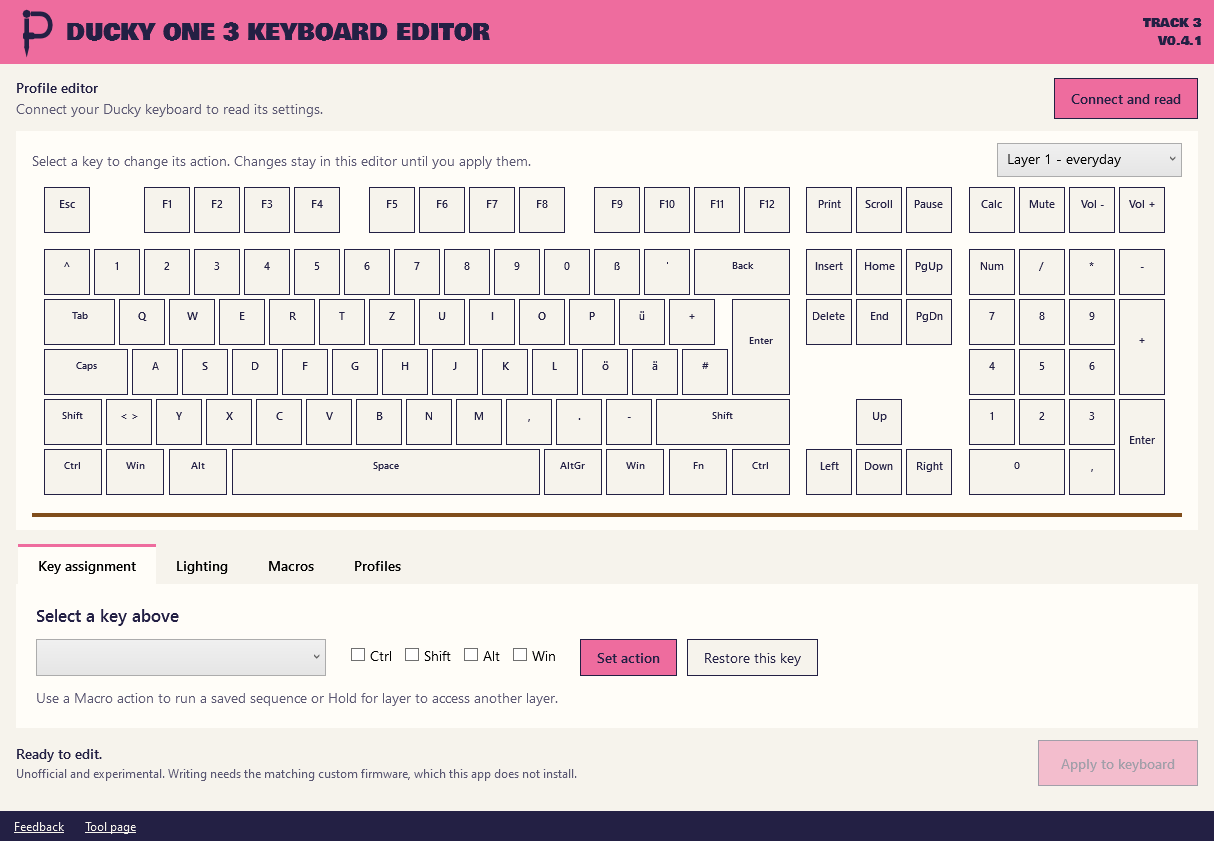
Read this first. The editor can only write to a keyboard running my custom firmware and I don't hand that out here. With a stock Ducky you can only edit profiles offline. Ask me before you expect more from it.
What it does
I made this for my own Ducky One 3 (DKON2108ST, full-size RGB, German ISO). It edits everything in one window.
- Four layers with key remapping, modifier shortcuts and media keys.
- 16 onboard macros with text, shortcuts and German letters.
- Lighting with color, brightness, speed and 12 effect choices including off.
- Profiles you can save and open again.
- A backup before every write and a read back after it.
How to use it
- Extract the whole ZIP. The two JSON files stay beside the app.
- Open the editor and select a key.
- Choose an action and press
Set action. - With matching firmware use
Connect and readfirst andApply to keyboardat the end.
Changes stay in the editor until you apply them.
Good to know
- It doesn't install firmware and it doesn't enter the bootloader.
- It's only built for this exact keyboard and layout. Don't flash unrelated firmware.
- Real macro use, sleep and wake and going back to stock firmware aren't fully tested yet. That's why it says experimental.
- Lighting works for the whole keyboard. You can't paint single keys.
- This is an unofficial tool. It has nothing to do with Ducky.
Questions
Does it work with my stock Ducky One 3?
Only for editing profiles offline. Connecting and writing need the custom firmware.
Can I get the firmware?
Ask me with a request and tell me your exact model. A bad flash can leave you with a keyboard that doesn't work so I don't just put it up for download.
Does it work with the TKL or an ANSI layout?
No. It's built for the full-size German ISO only.
Why is the download so big?
The Windows runtime is included so you don't have to install anything.
Why does Windows still warn me about the download?
The app is signed by Andrej Schmunk so that's the publisher Windows should show. SmartScreen can still warn about new downloads until enough people have run them. You can compare the SHA-256 on this page.
Release notes
Other tools
- Tower of Babel Trainer Trainer for Tower of Babel: Survivors of Chaos
- Bongo Cat Repeater Key repeater for Bongo Cat